

Solo Feed Exchange: The Loop is Live between Petrel Studio and Solo Cloud
Written by:
Solo Feed Exchange added Petrel Studio as a connection point in December 2025, starting with well headers and trajectories. Since then, it's picked up a new data type roughly every month in 2026: tops in February, logs (plus automated well matching) in March, well plans in April, grids in May, polygons and interpretations in June, and well attributes in July. What began as a single connection now covers most of what a subsurface team moves between the two systems.
Why it matters
A geologist drilling in StarSteer can pull the latest data objects straight from Petrel Studio without any manual work, and whatever gets built flows the other direction just as easily. That's less time moving files around and more time looking at the data. And you can rest easy that the data object you're using is the most updated one, every time.
What crosses the bridge
Feed Exchange handles eight data categories today:
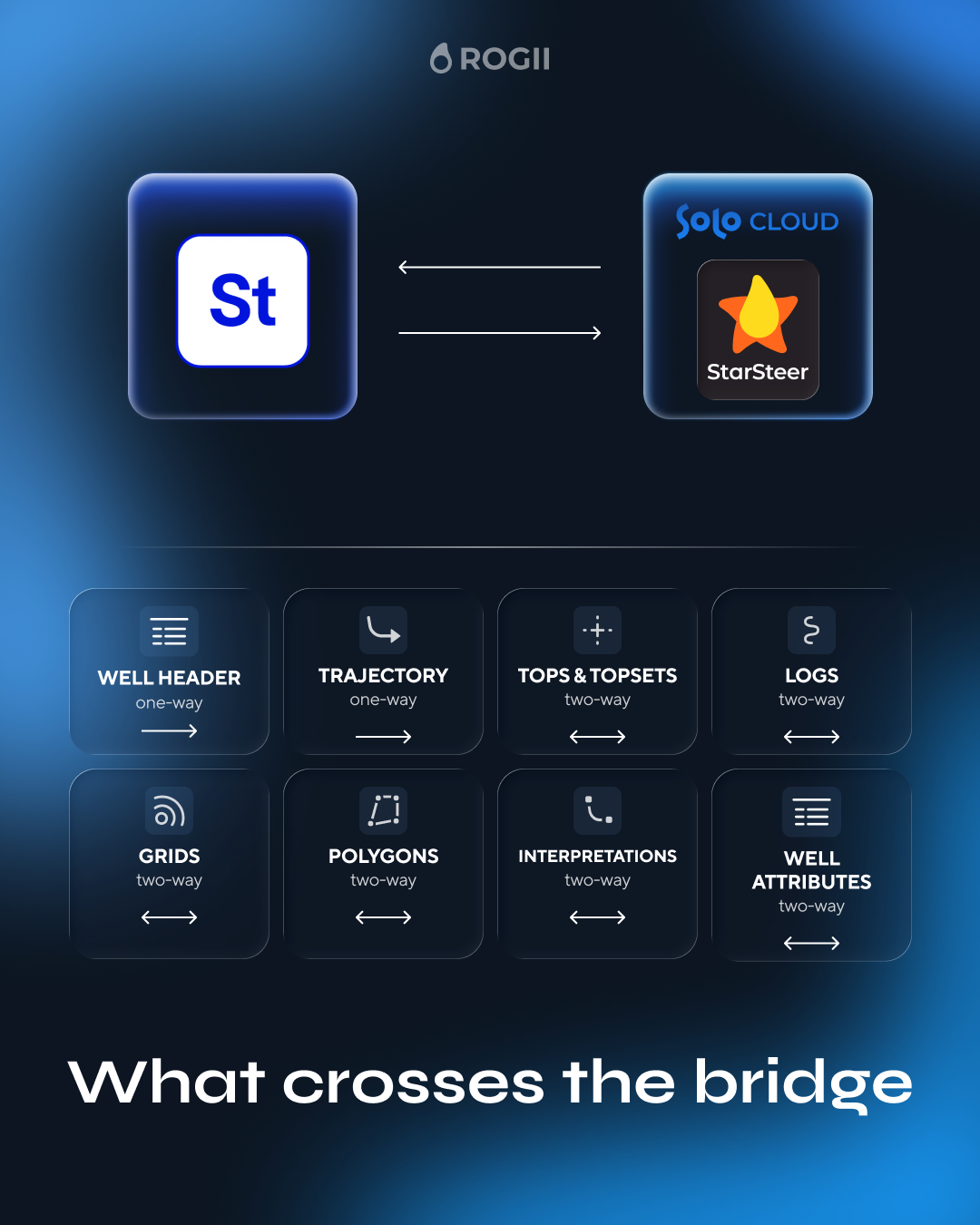
Two things arrived alongside those data types rather than as their own line item: support for up to 10 simultaneous Petrel Studio connections landed with polygons and interpretations in June, and a shared group tree view for both systems came with well attributes in July.
How it works
The setup follows one path: configure a connection, register it in Solo, add it as a source inside a project, pick the data, run the process. You register a connection once, and it persists through updates and database changes; anyone in the Solo organization can then use it from the Exchange tab in Solo Feed.
A Connection is the named link to Petrel Studio, set by host and port in Solo Service. A Source pairs that connection with the machine using it. From there, users browse Solo projects and the Petrel Studio repository side by side, select what they need, and run the transfer.
Built to avoid duplicate wells and stale data
The most important part of any two-system sync is matching the same well correctly, so Feed Exchange checks it three ways: by name, by API/UWI (standard well identification numbers), and by Solo UUID. If a connection can't validate cleanly, it will let you know.
Processes can run manually or on a schedule.
Getting set up
Contact us at support@rogii.com and we will gladly walk through the steps with you.
What's next
Petrel Studio isn't the only target, either. The same Feed Exchange framework connects Solo to OSDU, so this isn't a one-off adapter built for a single partner. We thrive on integrating with other systems to improve your user experience.
Questions about licensing or rollout? Reach out to your ROGII Account Executive, or head to the Solo Feed product page and book a demo today.


