
Field Development Planning
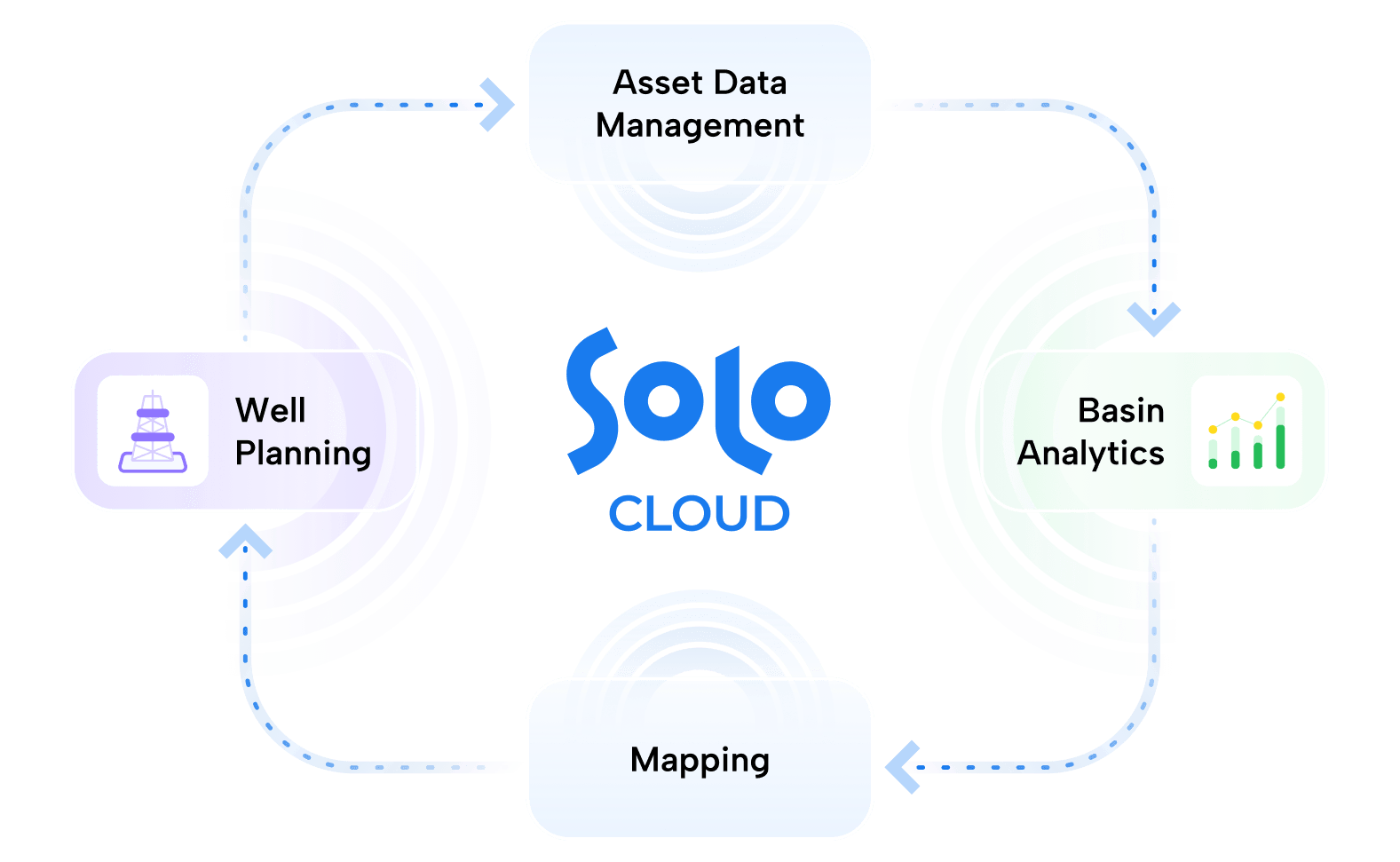
Field development is a continuous cycle that begins with identifying productive zones and ends with creating accurate, optimized well plans.

Asset Data Management


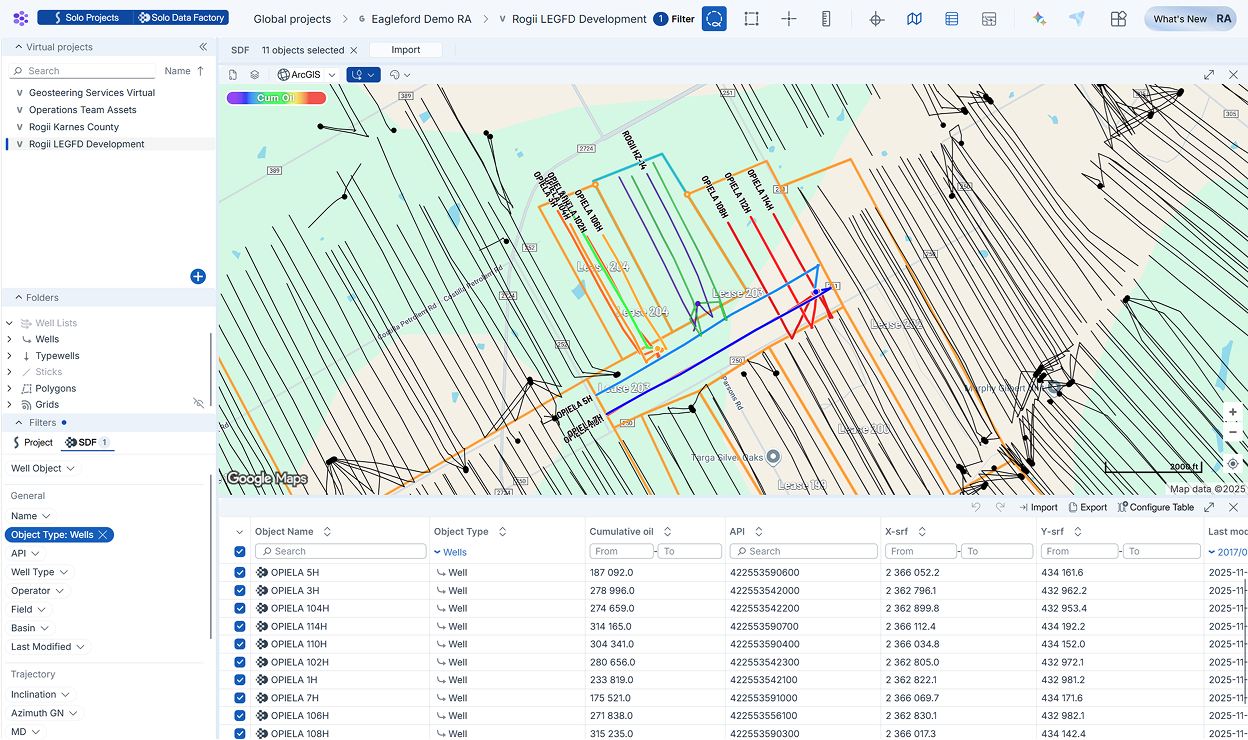
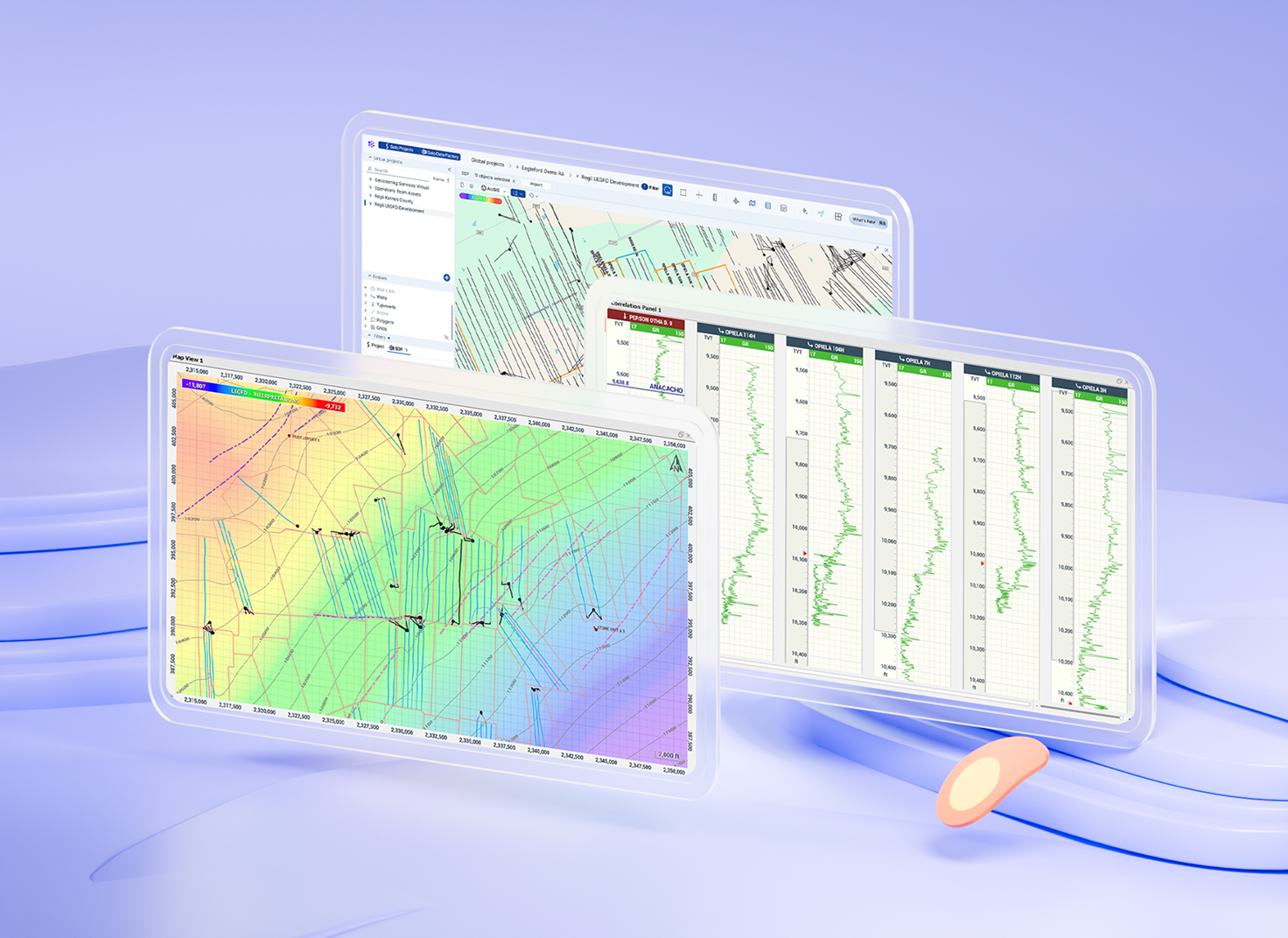
Knowing who’s around your next lease is important for extraction optimization. Activate the Solo Data Factory Layer to plot regulatory wells alongside your project data, then filter and import regulatory datasets.
Features:
- Integrated map view
- Data for various regions in US & Canada
- Well headers, surveys, log, production data
- Preview production data by well coloring
- Review well header information
- Extensive filtering tools without queries
- Import batches of regulatory data
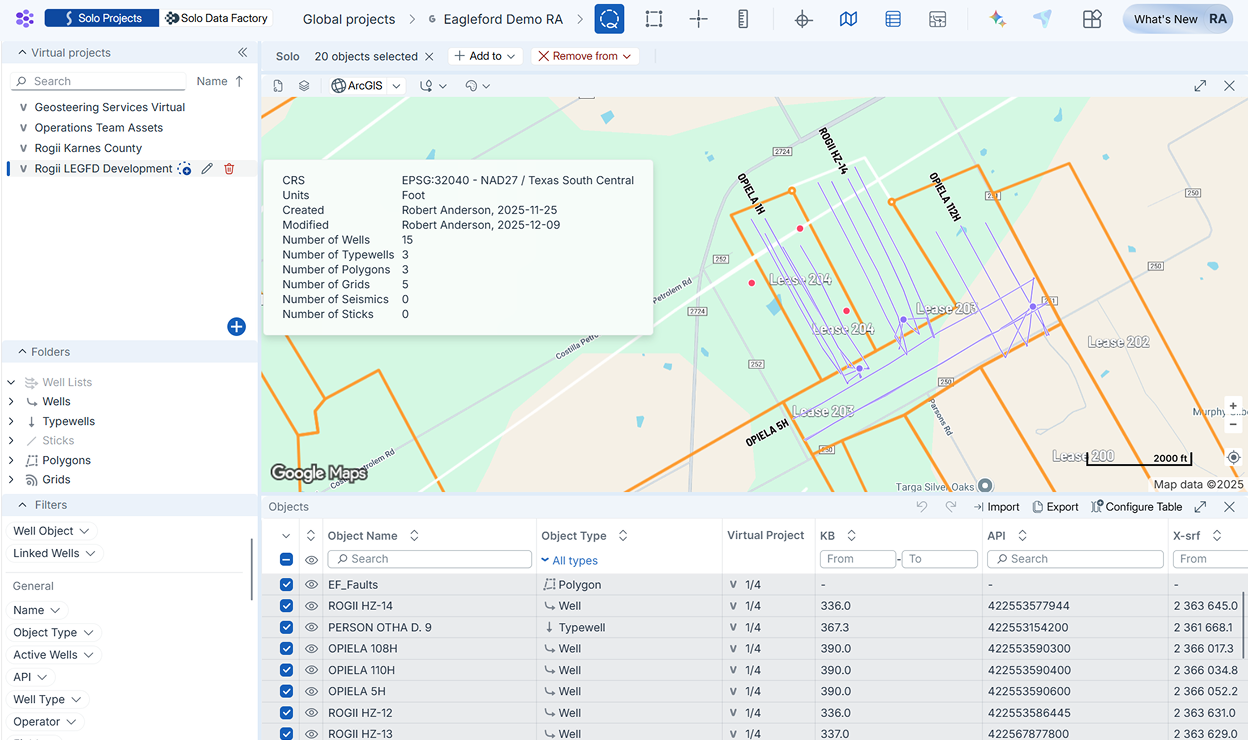
As asset development projects grow, so do the datasets. Data Manager allows you to divide data objects into Virtual Projects. Maintain clean projects by avoiding duplicates and editing data tables in-platform.
Features:
- Filter data objects
- Transfer data to Virtual Projects
- Auto-update Virtual Projects by area
- Import and edit attributes
- Export tables to .csv
- Create Well Lists
- Duplication warnings
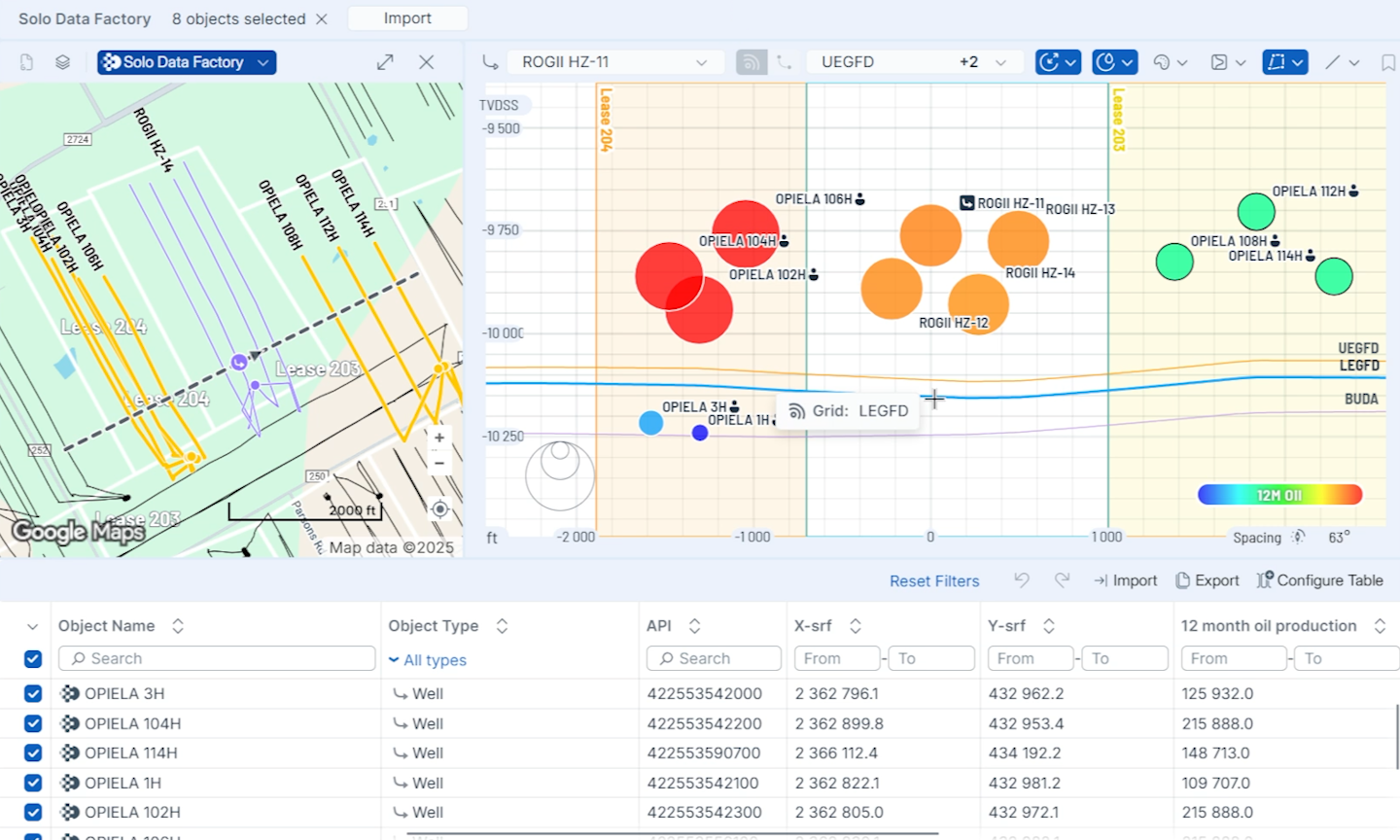
Eliminate guesswork in offset evaluation with Gun Barrel plots that instantly show how your wells, sticks, and plans align with competitor wells, while allowing rapid distance and attribute analysis.
Features:
- TVDSS and TVT scales
- Plot polygons/lease lines
- Typewell log tracks
- Editable cross-section line
Basin Analytics


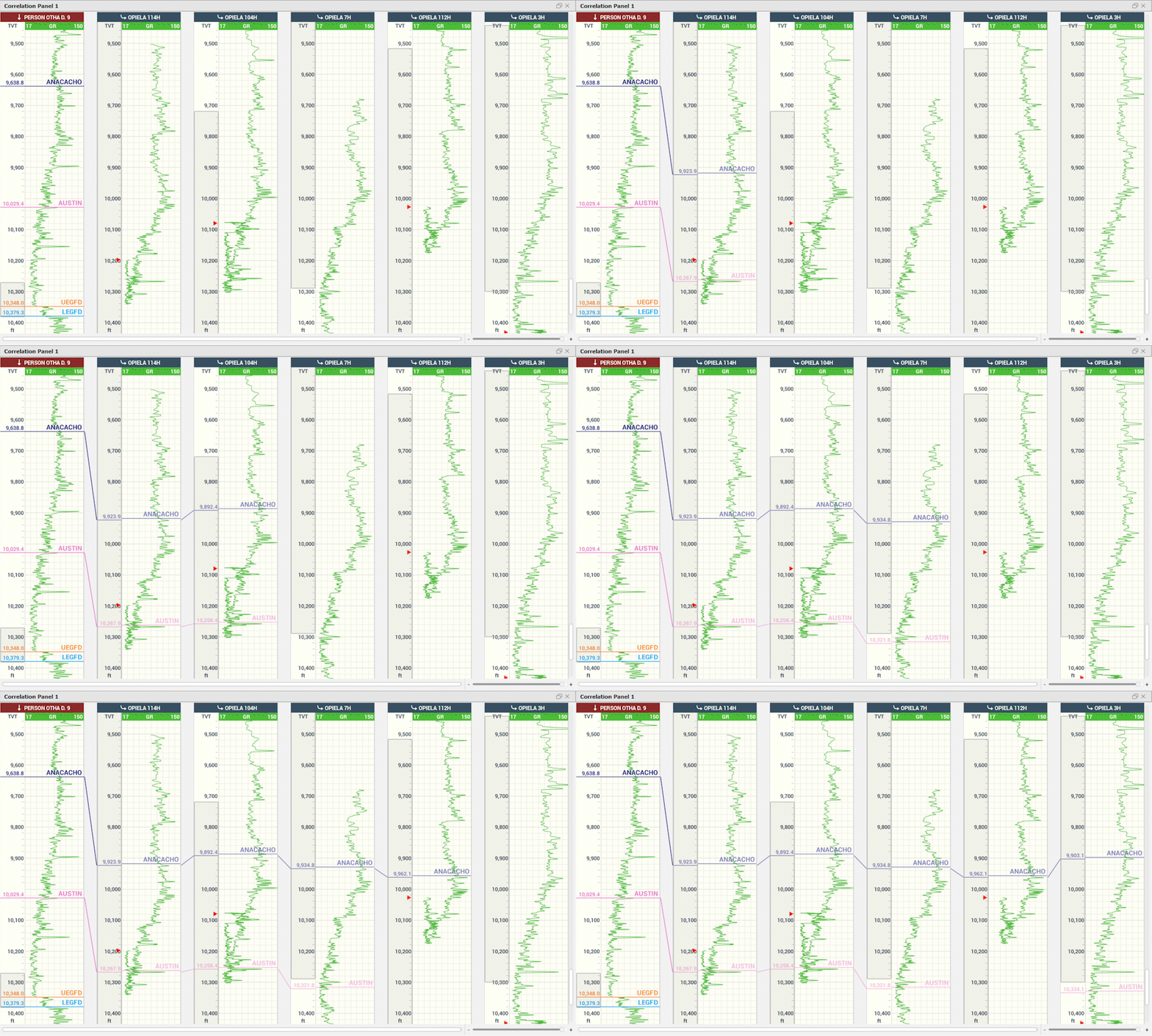
Picking tops is essential for identifying zone thicknesses, assessing geologic trends, and building horizon maps for a region. StarSteer’s Correlation Panel offers multiple precise ways to pick tops from vertical and horizontal wells.
Features:
- Auto-top picking
- TVT scale for HZ well top picking
- SDF well integration
- Save and share Correlation Panel views
- Ghost tool for quick correlations
- Display comments, numeric values
- Image log support
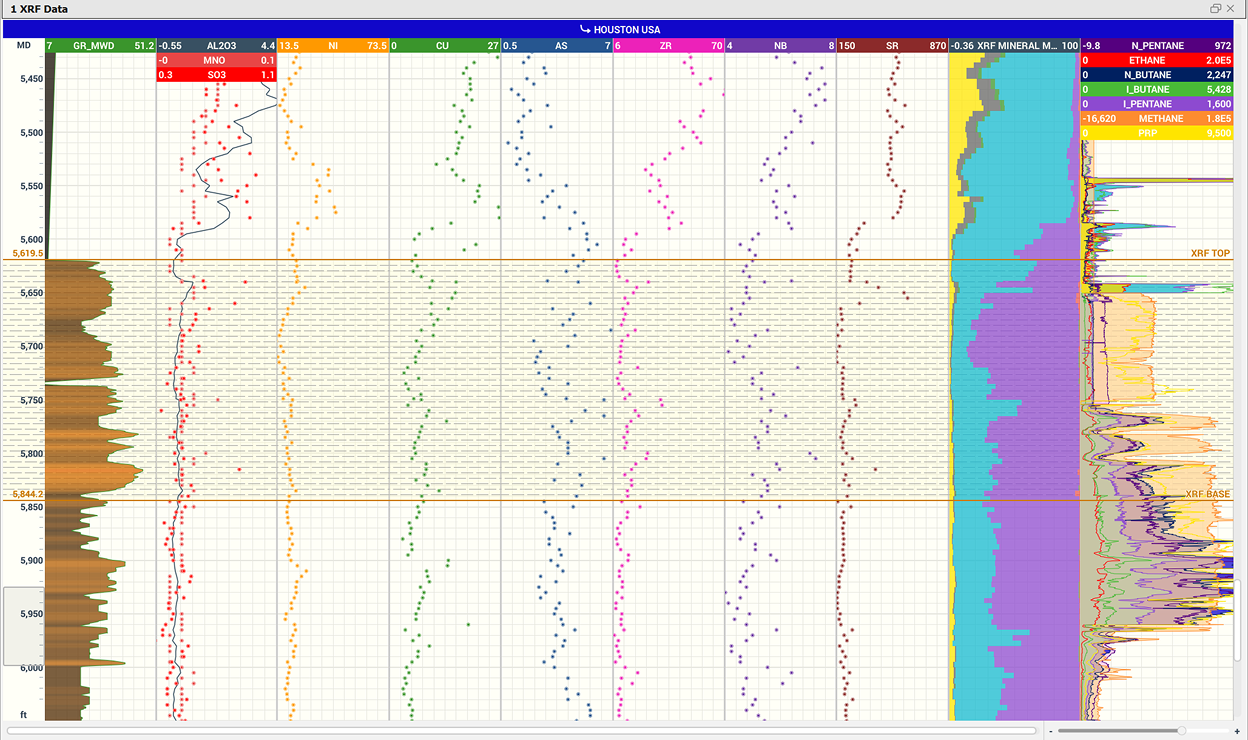
Knowing the composition of geologic basins is an important step to understanding production performance and drilling targets. Use the Correlation Panel to visualize mudlogging data such as gas, % lithology, and XRF/XRD values.
Features:
- Real-time mudlog integration with TLog
- Display mudlogging data from historical wells
- Share formatted correlation panels with colleagues
- Define geologic basins with formatting
- Plot any log curve
- Create zones to analyze various attributes
- Multiple tracks and scales
- Plot completions data
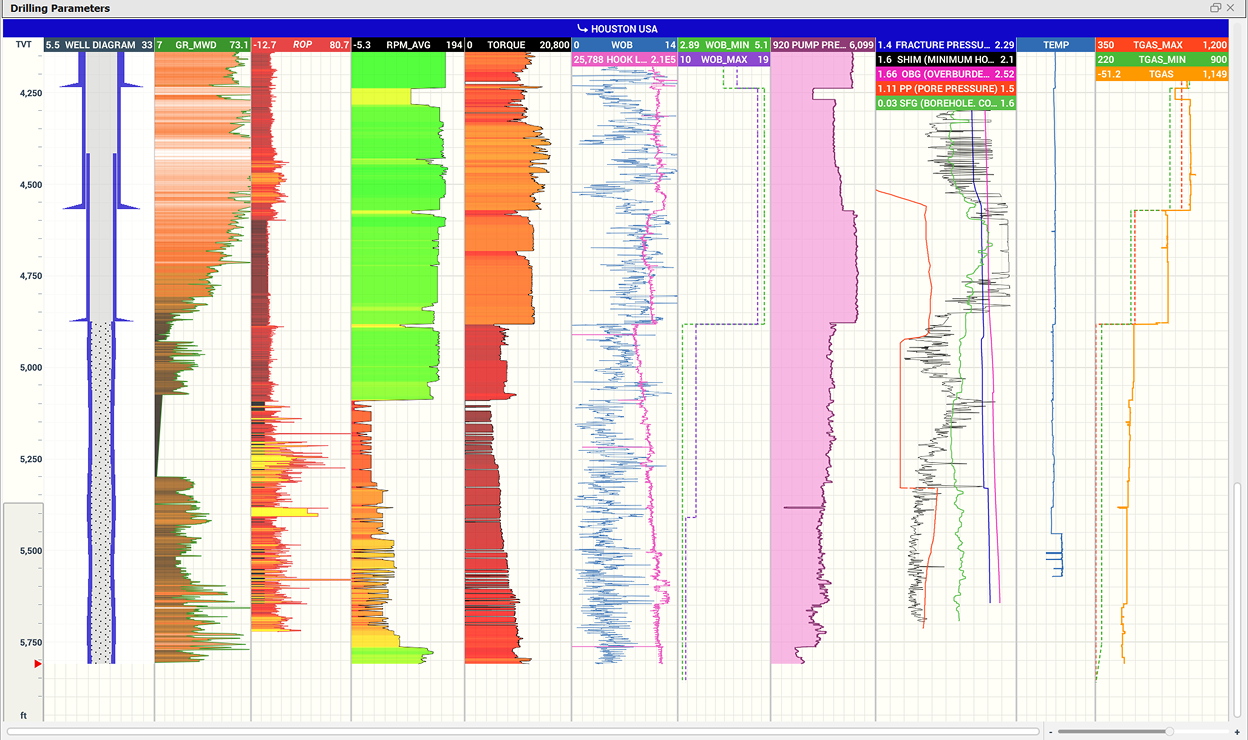
Analyze how your wells have performed in the past or monitor drilling traces in real-time. Share your correlation panel view to allow the whole team to analyze well performance with StarSteer.
Features:
- Plot drilling traces
- Plot mud and pump values
- Display as numeric values
- Multiple tracks and scales
- Connect data curves from multiple sources
- Log calculations
- Share correlation panel views
Mapping
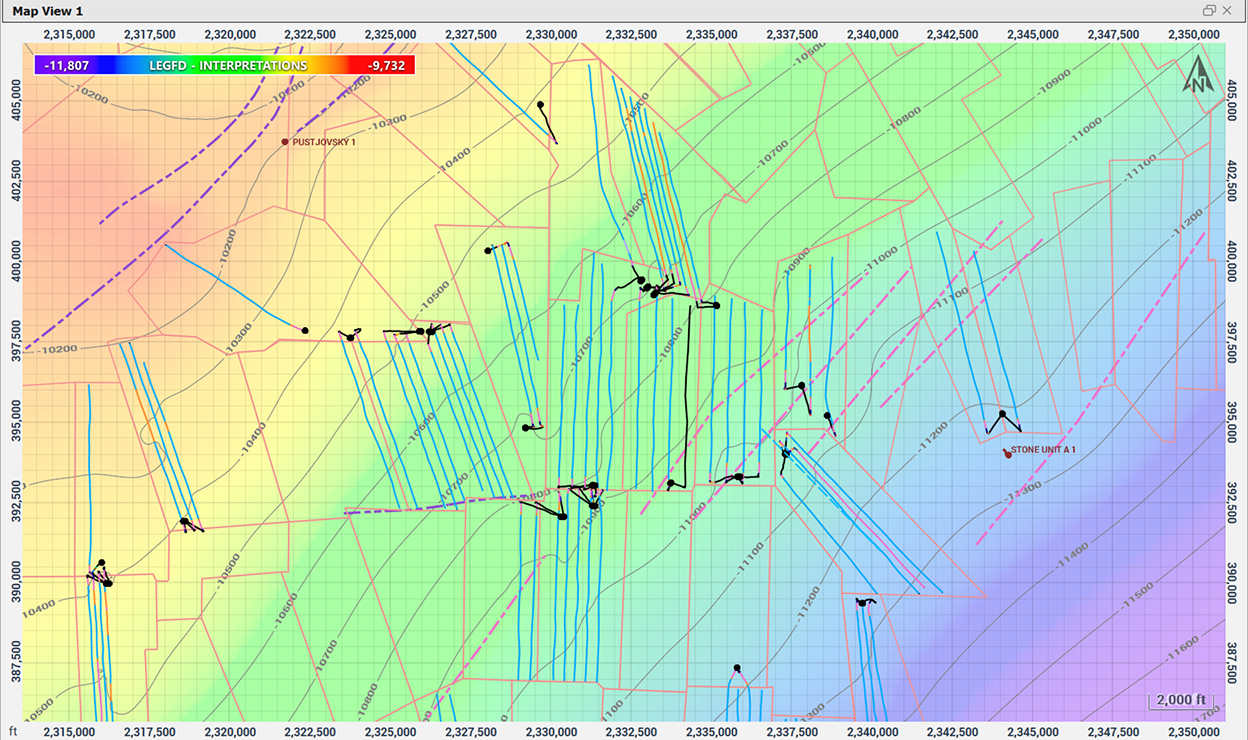
Confidently steer your well within the target zone by creating structure grids based on interpreted geologic horizons and topsets from your historic wells and regulatory wells.
Features:
- Generate grids with tops and/or horizons
- Update grids in real-time as interpretations change
- Visualize grids in plan view, cross section, and 3D view
- Plot lease lines and other polygons
- Plot fault polygons true to throw distance
- Anchor point support
- Trend with regional or seismic grids
- Inclination, MD, and Vertical Corridor filters
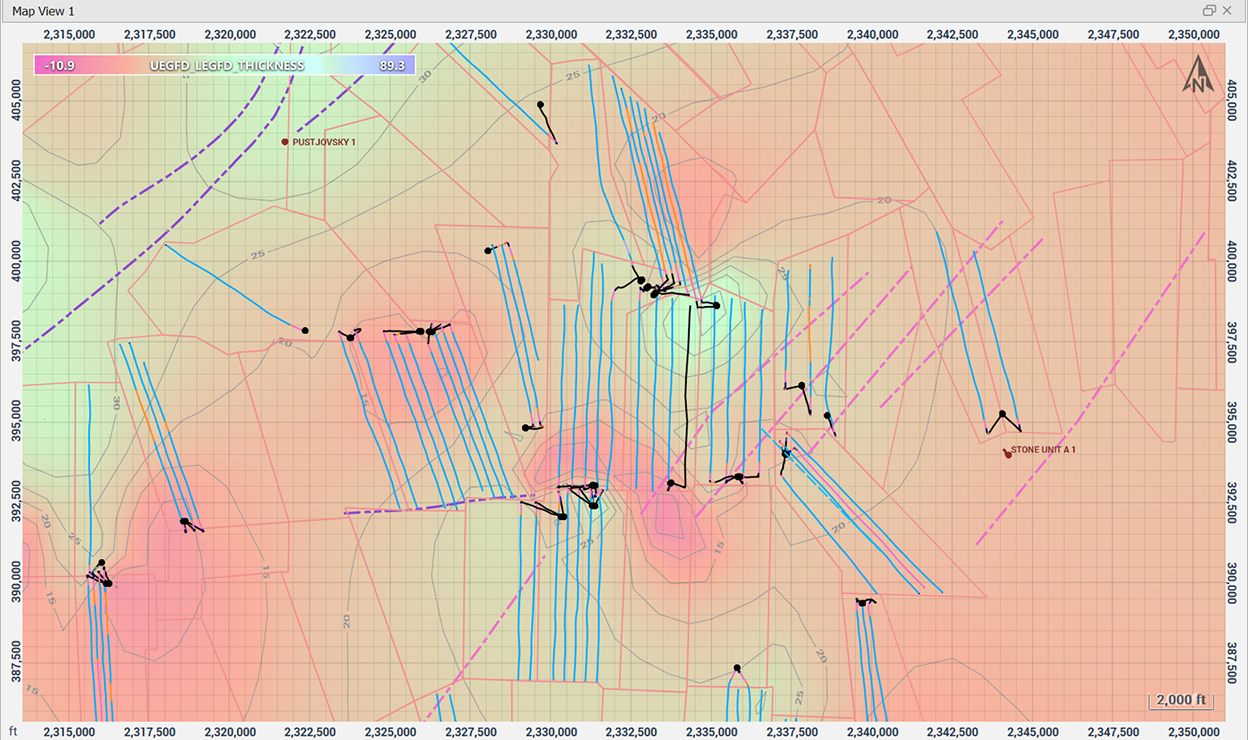
Understand subsurface variability with continuous property maps generated from log data that is tied to your interpreted stratigraphic model for more accurate well placement.
Features:
- Quick isopach map generation
- Generate grids from any zone attribute
- Anchor points support
- Map Zone Attributes or Attribute Polygons
- Convergent, Inverse Distance, and ABOS algorithms
- Convert grids to points or polygons
- Export grids
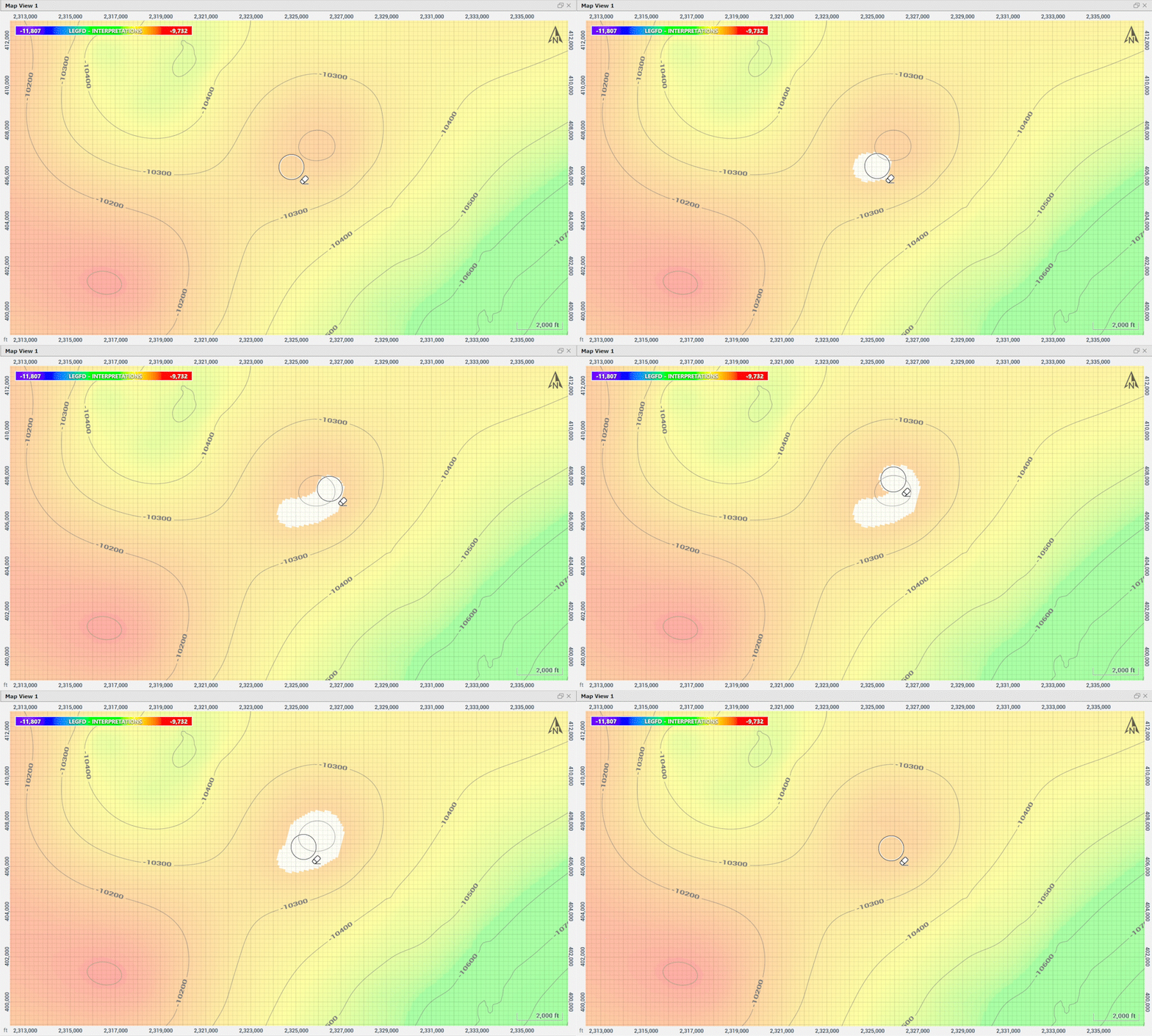
StarSteer allows your team to tailor grids using filters and cursor tools, ensuring your maps accurately capture regional trends and deliver decision-ready interpretations.
Features:
- Eraser tool to remove bullseyes
- Smudge and Averaging tools for contour line refinement
- Anchor points support
- Ignore after MD, Inclination, and Influence Radius filters
- Hand-contouring polygon support
- Polygon cropping tool
- Trend with regional and seismic
- Refine grids with Well Lists

Well Planning
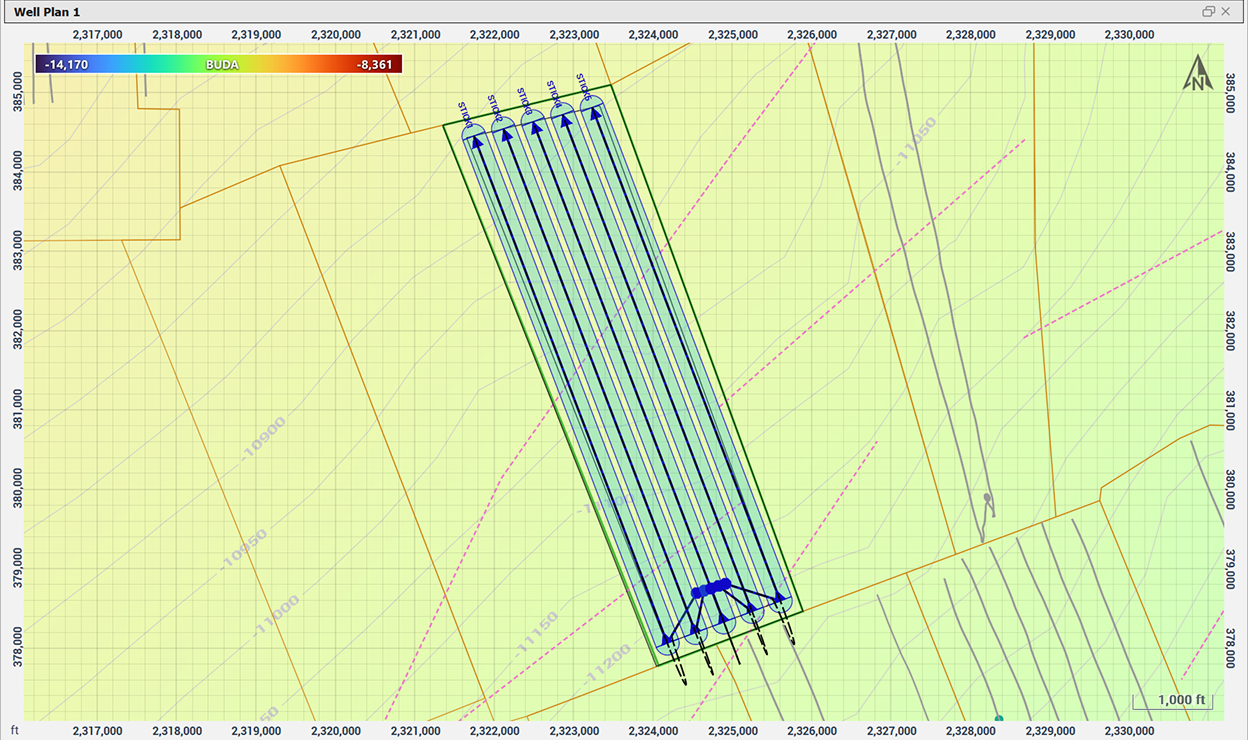
Plan even the most complex pads in map view using configurable sticks and multi-lateral tools that maintain lease-line compliance, proper spacing, and safe distances from offset wells.
Features:
- Plan with one or multiple sticks
- Fully adjustable pad-area polygons
- Adjust pad buffer zones and well spacing
- Refine dog legs and backbuilds
- Easily plot surface hole location
- Instant integration to Data Manager
- External shape-file import support
- Convert PDF well plats to sticks
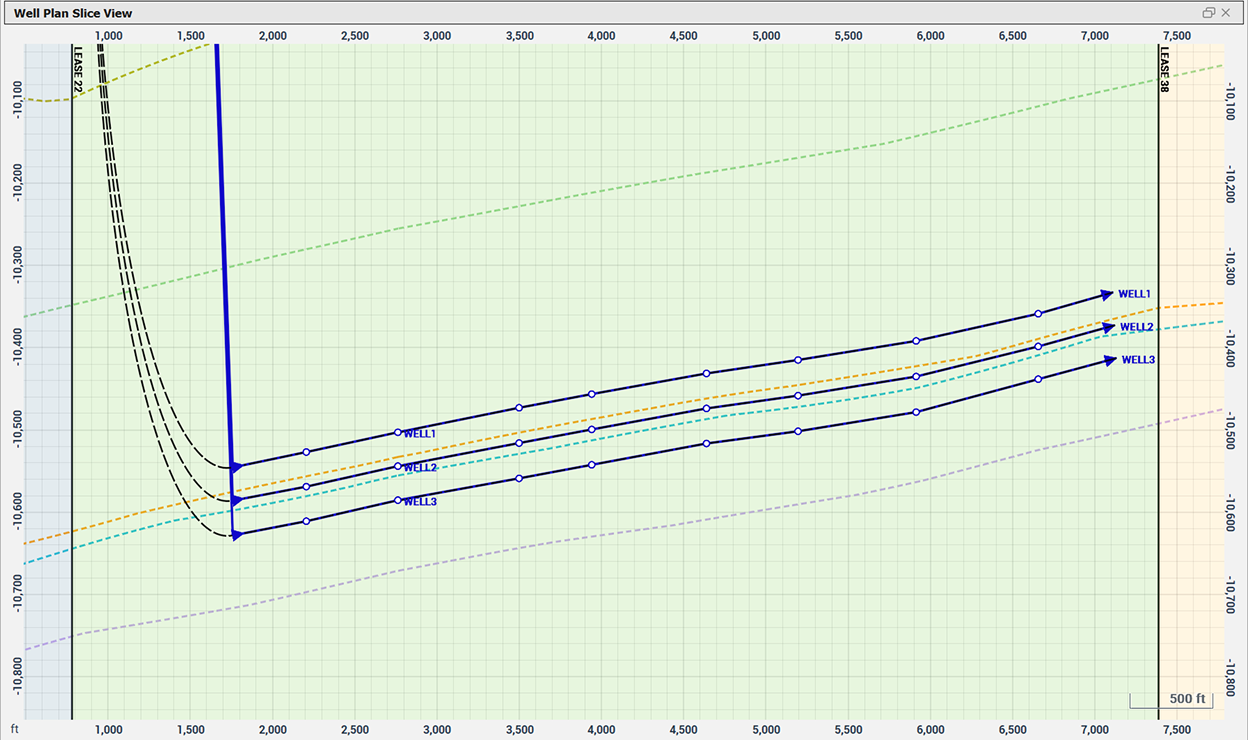
Account for real structural complexity while planning your well at depth. StarSteer enables vertical and lateral control of the well path, by allowing you to respond correctly to dip changes and formation variability.
Features:
- Set waypoints to follow structure
- Distance to grid well plan control
- Between grid well plan control
- Edit paths with waypoints
- Control dog leg severity
- Create geological prognosis tops
- Instant integration to Data Manager for Gun Barrels
Construct advanced well plans with StarSteer’s interactive path editing toolkit. Through precise control of sticks, users can design U-turn wells and multi-laterals that remain operationally feasible and geologically aligned.
Features:
- Edit and join multiple sticks
- Set anchor points
- Control dog leg severity
- Edit paths with waypoints
- Dynamic azimuth adjustments
- Edit in map view and cross section

Key Benefits
Data
Centralization
Combine regulatory and private datasets in one connected platform
Drill
Confidently
Integrated data delivers clarity on zone productivity for confident drilling targets
Dynamic
Mapping
Real-time mapping updates and advanced grid-editing create accurate models
Scalable Well
Planning
Plan wells and complex pads in one system with structure guided placement
Request a Demo
Contact us to book live demonstrations on Field Development Planning workflows
Why Choose Solo Cloud?

ROGII’s Technical Analysts are available 24/7 for support and workflow advice
SOC2 certified cloud storage and role based access safeguards your projects

Continuity
Projects are always protected and recoverable in Solo Cloud
Solo Cloud products link planning, geosteering, & drilling tools in one environment


.svg)