

Introducing Coordinate Reference System (CRS) Conversion in StarSteer
We’re excited to announce a major update in StarSteer: built-in Coordinate Reference System (CRS) conversion! With the release of version 2025.3, you can now convert spatial data directly within StarSteer, no more jumping between external tools or worrying about data misalignment.
Why CRS Conversion Matters
Mapping the earth is tricky business. We’re taking a 3D world and flattening it onto a 2D map or screen, which always introduces some distortion. Depending on the coordinate system you use, this distortion can vary. With over 7,000 projections worldwide, picking the right one is crucial for accurate data visualization.
What’s New in StarSteer 2025.3
Previously, coordinate system conversion of data objects in StarSteer was executed with Python scripts. Now, with CRS conversion built-in, you can:
- Convert various objects (like shapefiles, grids, polygons) to your project’s CRS
- Bulk convert objects of the same type
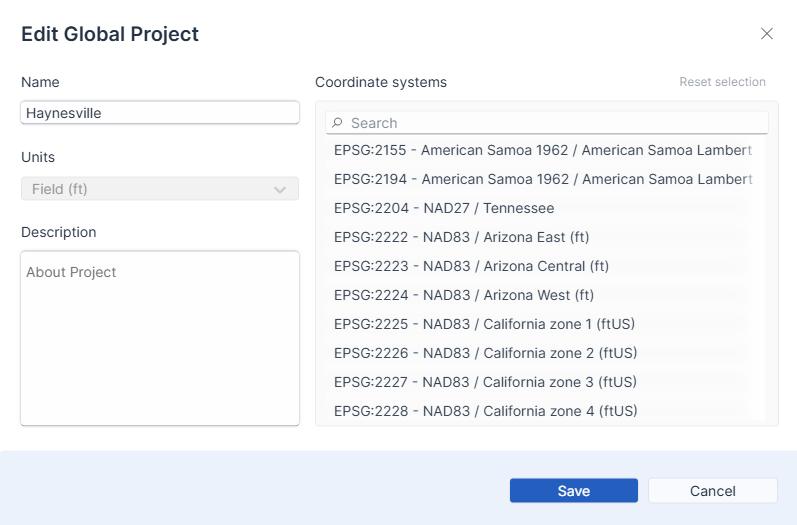
- Easily check and change your project’s CRS in multiple places (project settings, admin panel, project creation)
- Use EPSG numbers to quickly identify and select the right CRS
How It Works
Let’s say you’re working in the Permian Basin, and you import a shapefile that doesn’t align with your project’s map. With the new CRS conversion tool, you can:
- Highlight the object you want to convert
- Enter the correct EPSG number (e.g., for Texas Central)
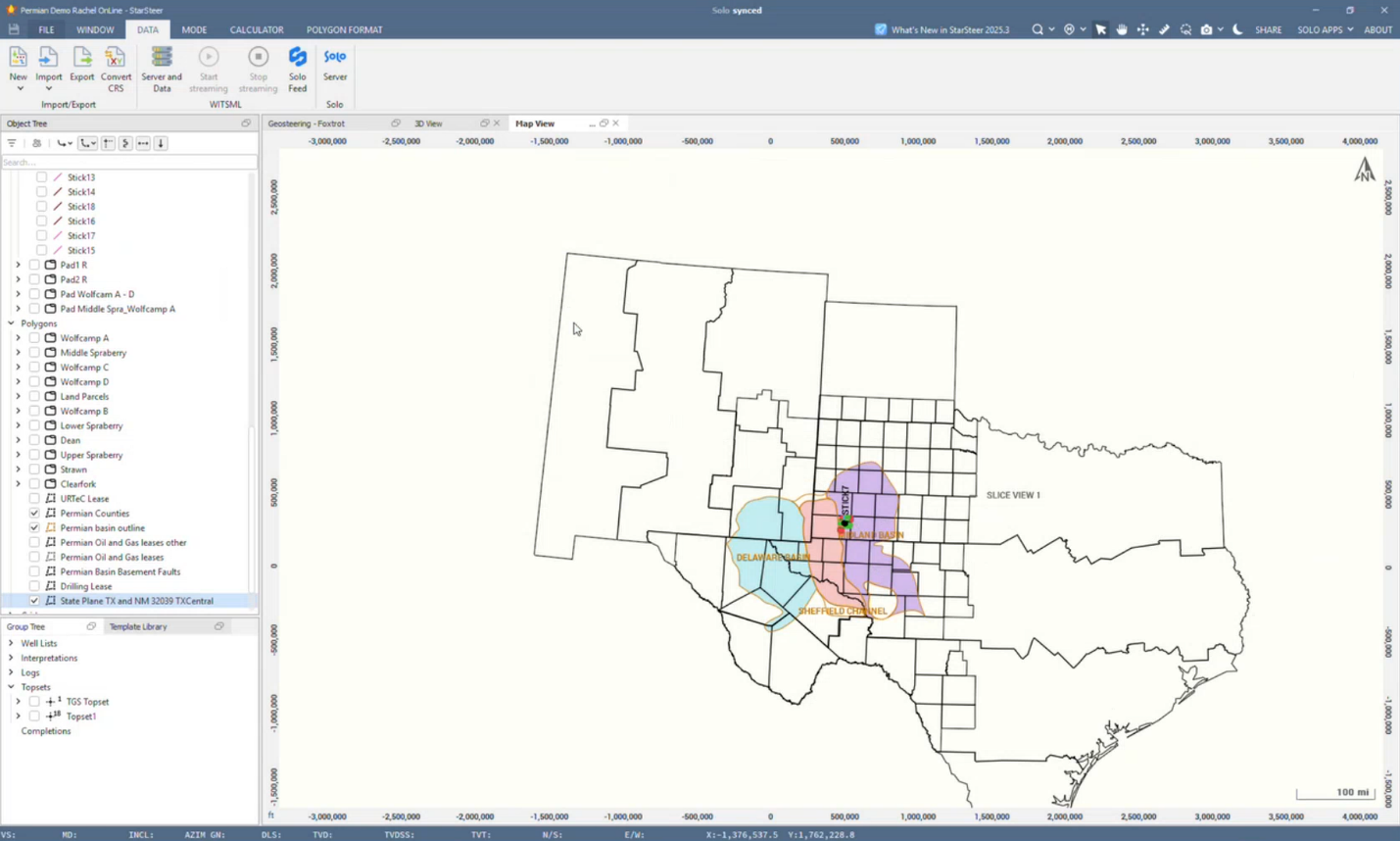
- Click convert, and watch your data snap into place!
Before:
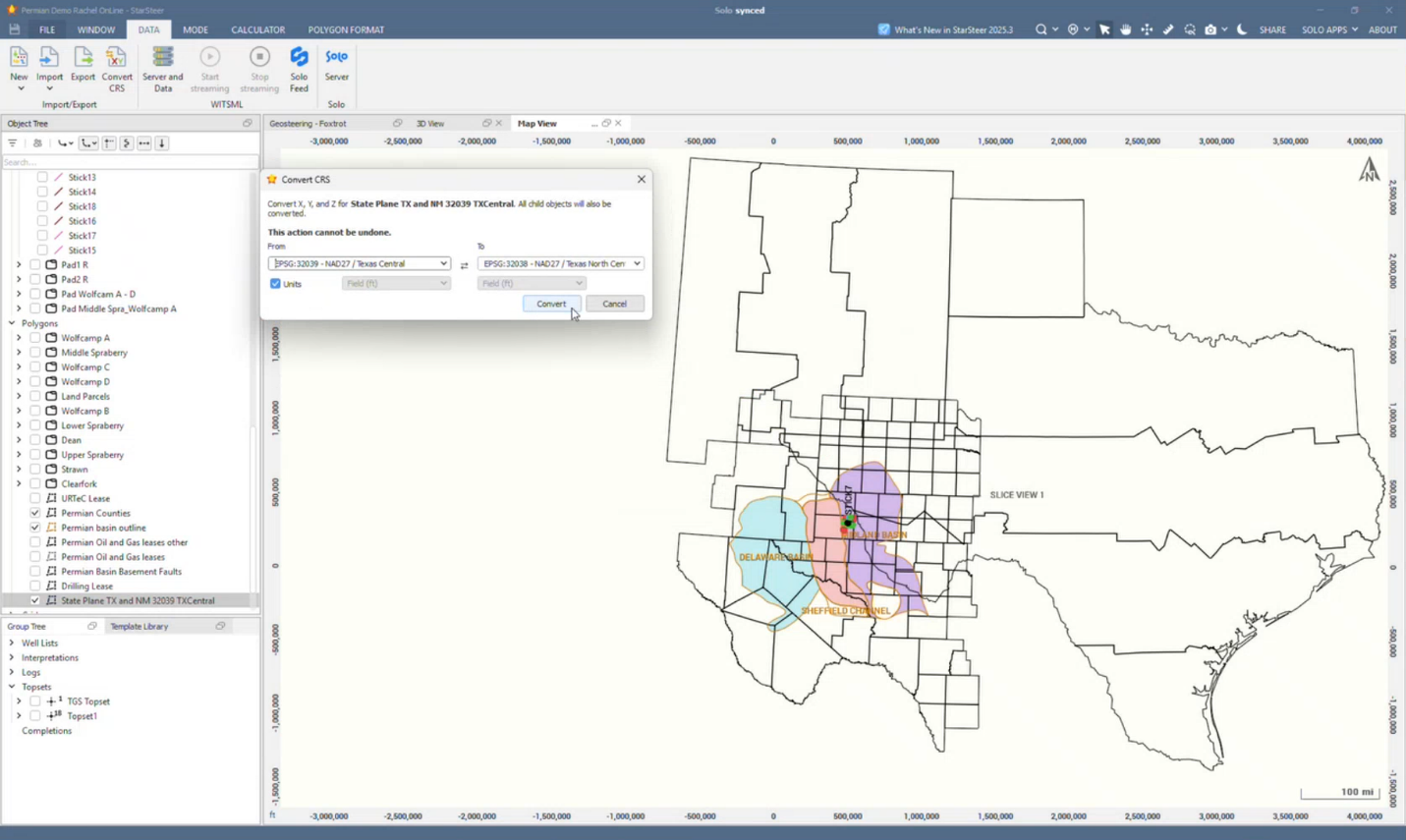
The newly imported polygon does not align with the existing polygon due to different CRS.
After:
Things to Keep in Mind
- XY Only (for now): StarSteer currently supports XY-to-XY conversions. Latitude/longitude support is in development.
- No Undo: Once you convert, there’s no undo button. Write down your original CRS details before converting!
- Solo Projects Only: CRS conversion is available for projects on Solo, not for locally saved projects.
- Bulk Conversion: You can bulk convert objects of the same type, but not across different types at once.
- Shapefile Attributes: Right now, you can only import one attribute per shapefile. We’re working on supporting richer data imports soon.
Real-World Use Case: Merging Projects After Acquisitions
If your company acquires another operator in the same field, you might find your projects use different coordinate systems. Merging these can be complex and risky without the right tools. Our team is here to help! Reach out to your Account Executive or Technical Support for guidance on large-scale migrations.
Global Support
CRS conversion isn’t just for North America. With over 7,000 systems in our library, you can find and use CRSs for regions all over the world, including the Middle East, Europe, and beyond.
What’s Next?
We’re actively working on:
- Latitude/longitude support
- Enhanced shapefile import with multiple attributes
- Better metadata tracking for CRS changes
If you have suggestions or run into challenges, let us know! Your feedback helps us make StarSteer even better.
To see this workflow in action, check out the webinar by Rachel Grande here


