

The Hidden Cost of Switching Between Geoscience Tools
Ops Geologists and Asset Geoscientists juggle complex workflows every day. They correlate wells, build maps, and plan well trajectories. But when these tasks live on different platforms, efficiency takes a hit. Moving data around, redoing work, and keeping track of what's where takes more time than is necessary.
ROGII’s StarSteer is a unified geoscience solution that cuts through that friction.
The Hidden Cost of Using Multiple Tools
When correlation, mapping, and well planning sit in separate applications, time gets lost in ways that never show up on a drilling report.
Scattered Workflows
Geologists often share and reuse their work by passing projects and data between platforms by email or shared drives. While these approaches are familiar and effective for many tasks, they usually turn live, connected data into static images and files that are harder to keep up to date.
Duplicated Projects and Data Drift
Every new well means updating multiple local projects and databases. Grids, tops, and interpretations fall out of sync between teams. Ops geologists end up spending hours figuring out which project is "right" instead of actually interpreting.
Slow Feedback from Real‑Time Operations
Geosteering keeps horizons and interpretations up to date in near real time while you drill, but those updates are usually only exported and loaded into mapping or planning projects later. As a result, future pad design, spacing, and infill decisions are often made using information that lags behind what was already learned while drilling the well.
For operators aiming for standardized, repeatable development, this scattered stack of tools is a major bottleneck to efficiency.
How StarSteer Simplifies and Speeds Up the Work
StarSteer Geoscience tools, paired with Solo—ROGII’s cloud database—was built to remove these bottlenecks, giving Ops Geologists a practical, end‑to‑end environment.
1. One Environment for Full Development
StarSteer supports full field development planning in a single platform:
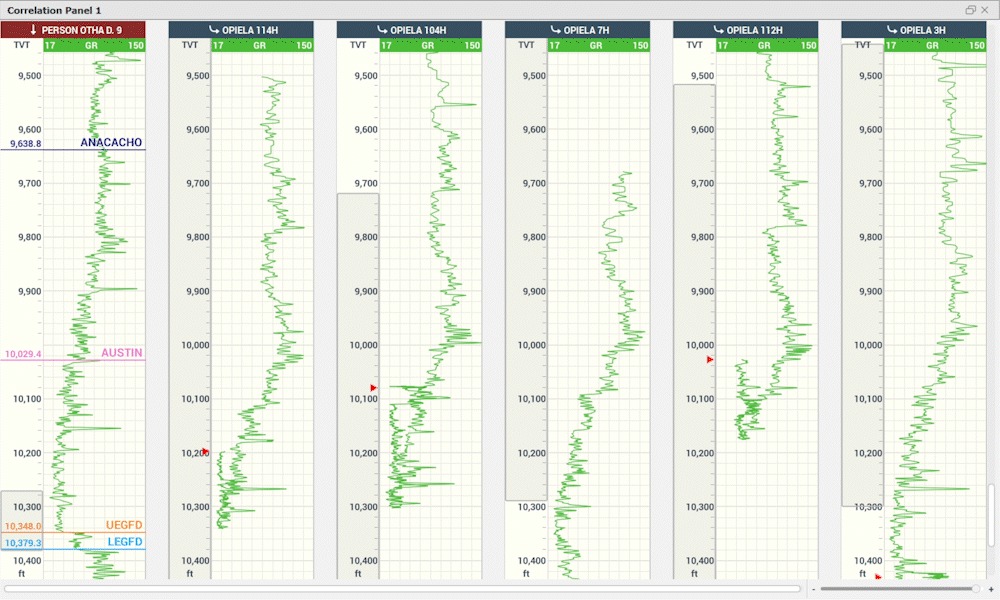
- Well correlation
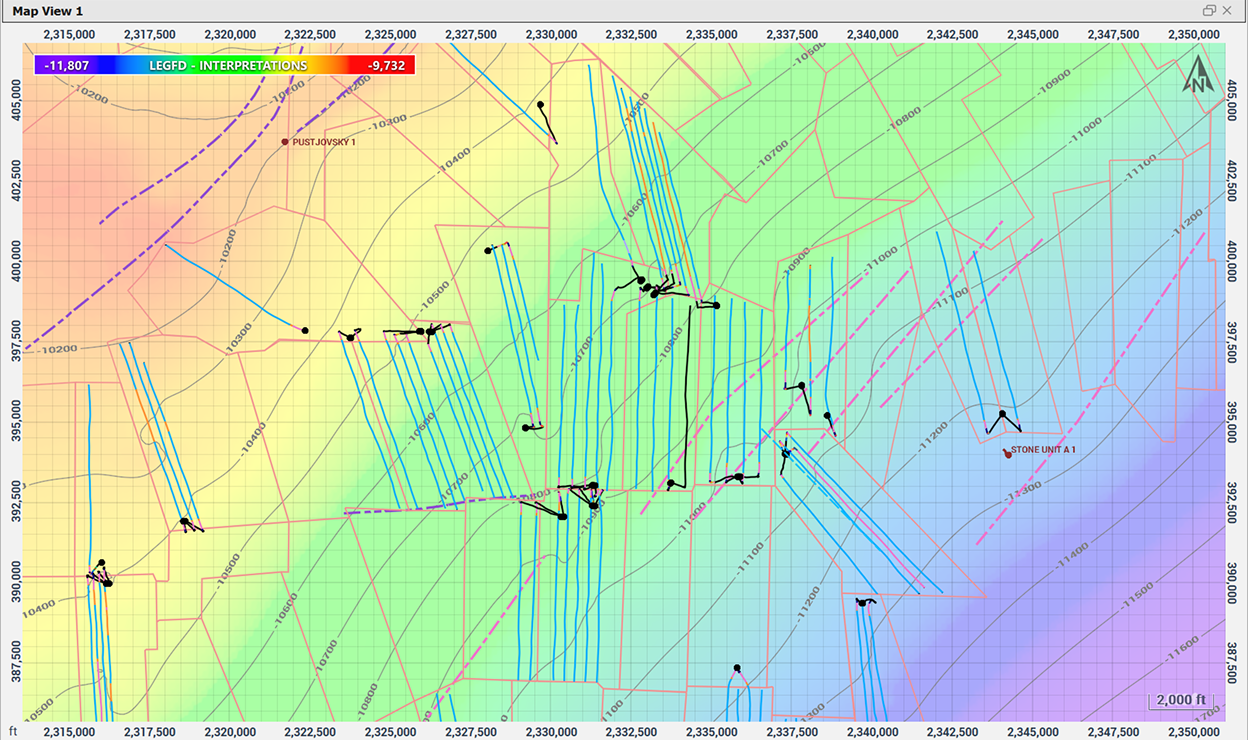
- Mapping
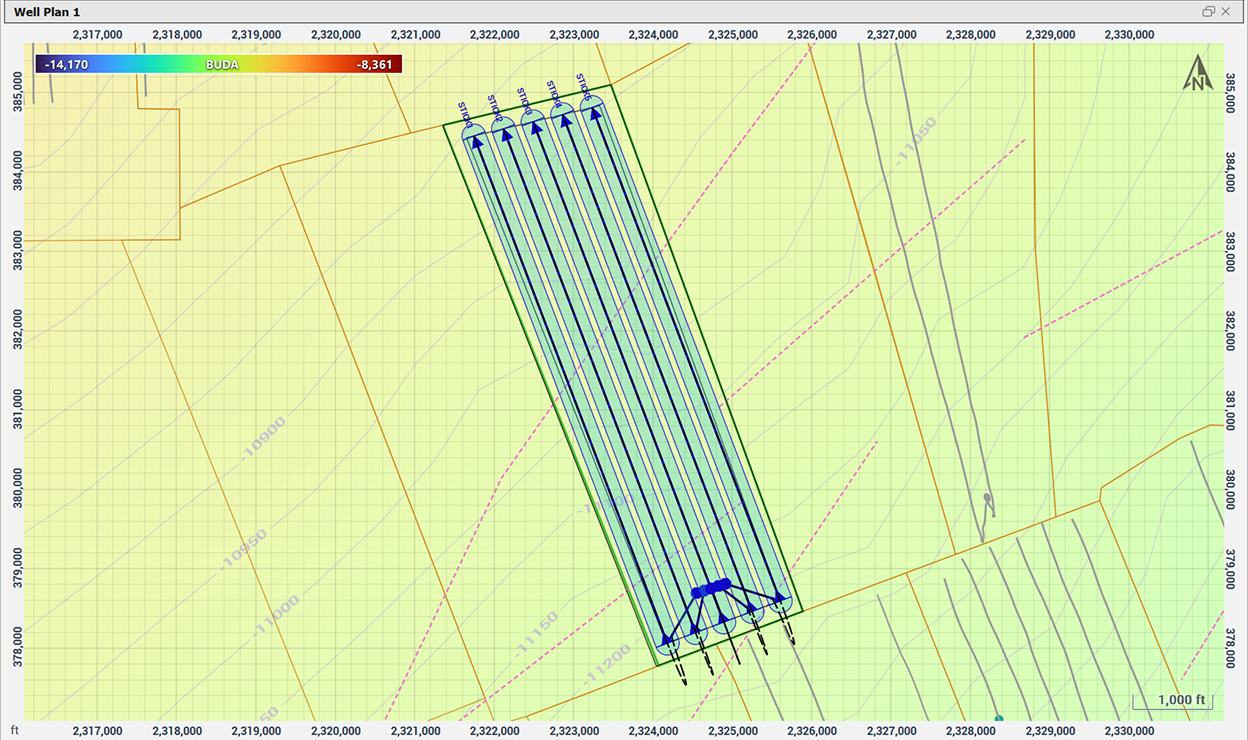
- Lease‑wide Stick planning
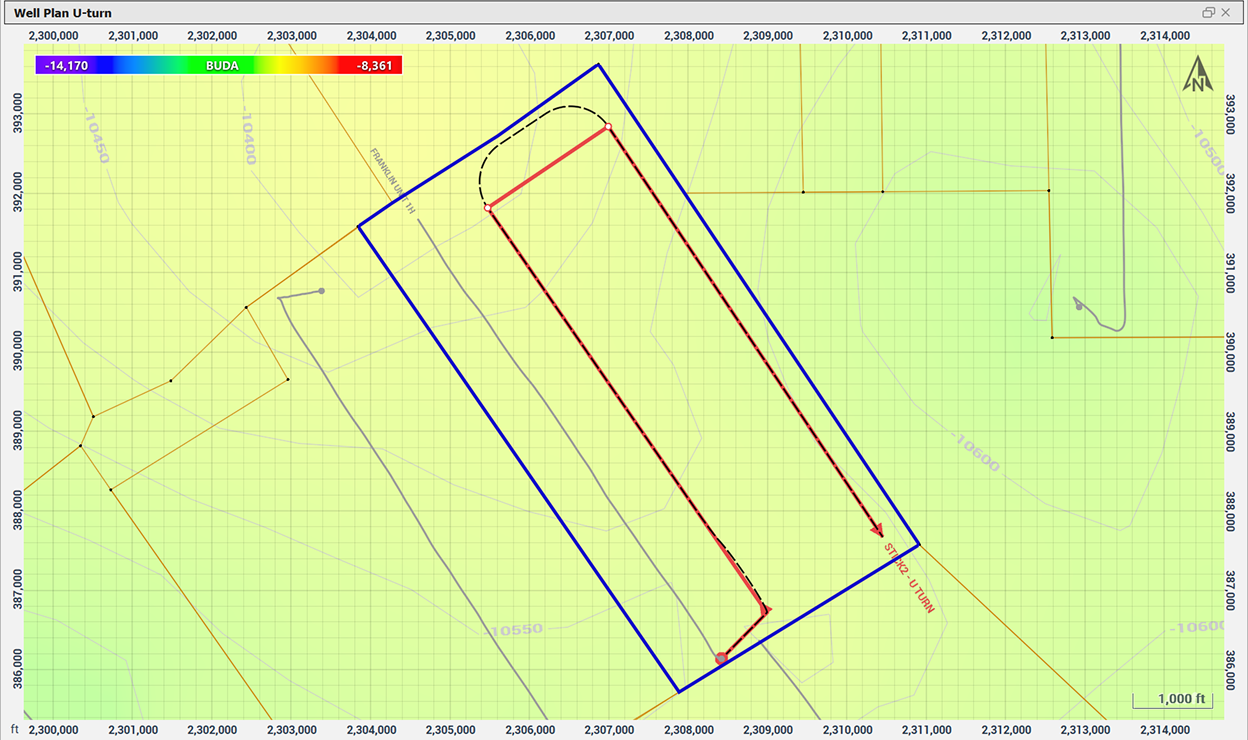
- Advanced Well Plans
- Geosteering
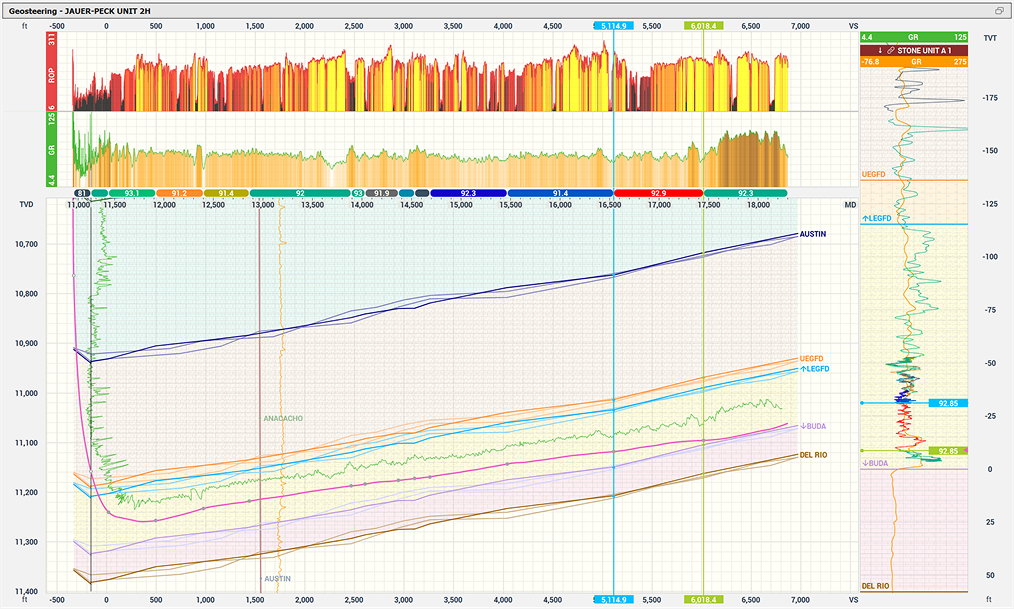
Instead of switching between three or four applications, Ops geologists stay in one environment. The focus is on completing most everyday tasks efficiently without wasting time moving data or relearning interfaces.
2. Solo Cloud: A Single Live Subsurface Database
Solo Cloud serves as a central subsurface and geoscience database, so everyone works from the same project:
- One shared database: Subsurface and geosteering data stored together; no separate local projects that drift out of sync.
- Updated while drilling: New surveys, logs, tops, and interpretations flow into Solo in real time. StarSteer reads directly from this live data.
- Less ETL, fewer copies of the truth: Exporting and importing LAS files, grids, tops, and surveys across multiple tools is minimized, making a true “single source of truth” realistic.
This combination reduces manual data handling and simplifies governance.
3. Correlation and Cross‑Sections Built for Horizontal Wells
StarSteer’s correlation tools are designed for modern horizontal programs:
- Fast panel setup: Build correlation panels with multiple wells quickly using flexible grouping and formatting tools.
- Innovative Well Correlation Workflows: Interpretations fit naturally into the correlation view; the TVT scale normalizes thickness for easier comparison.
- Smarter picking and QC: Auto Tops uses machine learning to suggest picks that geologists can review and refine. Distance labels and comments aid spacing checks and team communication.
- Slice View for cross-sections: Draw a line in Map View to instantly generate a cross-section with trajectories, tops, grids, and seismic. Adjust the slice line directly on the map for faster structural checks.
Watch the video below to learn more:
These features make StarSteer a practical Geoscience solution for managing large projects with numerous lateral wells and typewells, not just a tool for steering a single well.
4. Mapping and Gridding That Stay in Sync with Drilling
- Maps from interpreted horizons and topsets: Structure and attribute maps are built directly from geosteering horizons and topsets.
- Flexible grid and contour editing: Crop, smooth, and adjust grids on the map without exporting. Edit contours directly in Map View.
- Clear, informative map displays: Auto-hiding labels, hover highlighting, and visualization of completion data make spatial relationships easier to understand.
Because mapping is linked to the same interpreted horizons used for geosteering and correlation, maps stay current instead of lagging behind operations.
Learn more about it:
5. Well Planning Designed for Pads and Large Assets
StarSteer’s planning tools take teams from high-level concepts to detailed well plans:
- Visual planning by area: Plan wells directly in Map View within pad or area boundaries. Adjust pad sizes and orientations visually.
- Asset-wide stick generation: Generate large numbers of sticks quickly for spacing and pattern testing across the asset.
- From sticks to full well plans: Convert sticks into detailed well plans tied to structural grids. Target lines and waypoints refine landings and lateral paths.
Learn more about Well Planning in StarSteer
Operation geologists and geoscientists lose a lot of time shuffling between separate tools for correlation, mapping, well planning, and geosteering.
StarSteer Geoscience tools bring these workflows together in a single environment so geologists can work faster and stay aligned on the same subsurface model for decision‑making.
When connected to Solo Cloud, StarSteer lets everyone work from a single shared project instead of emailing project files around, reducing version mix‑ups, missing updates, and other data‑handling mistakes between teams.
Book a StarSteer demo today


